
How to Buy an Online Ticket
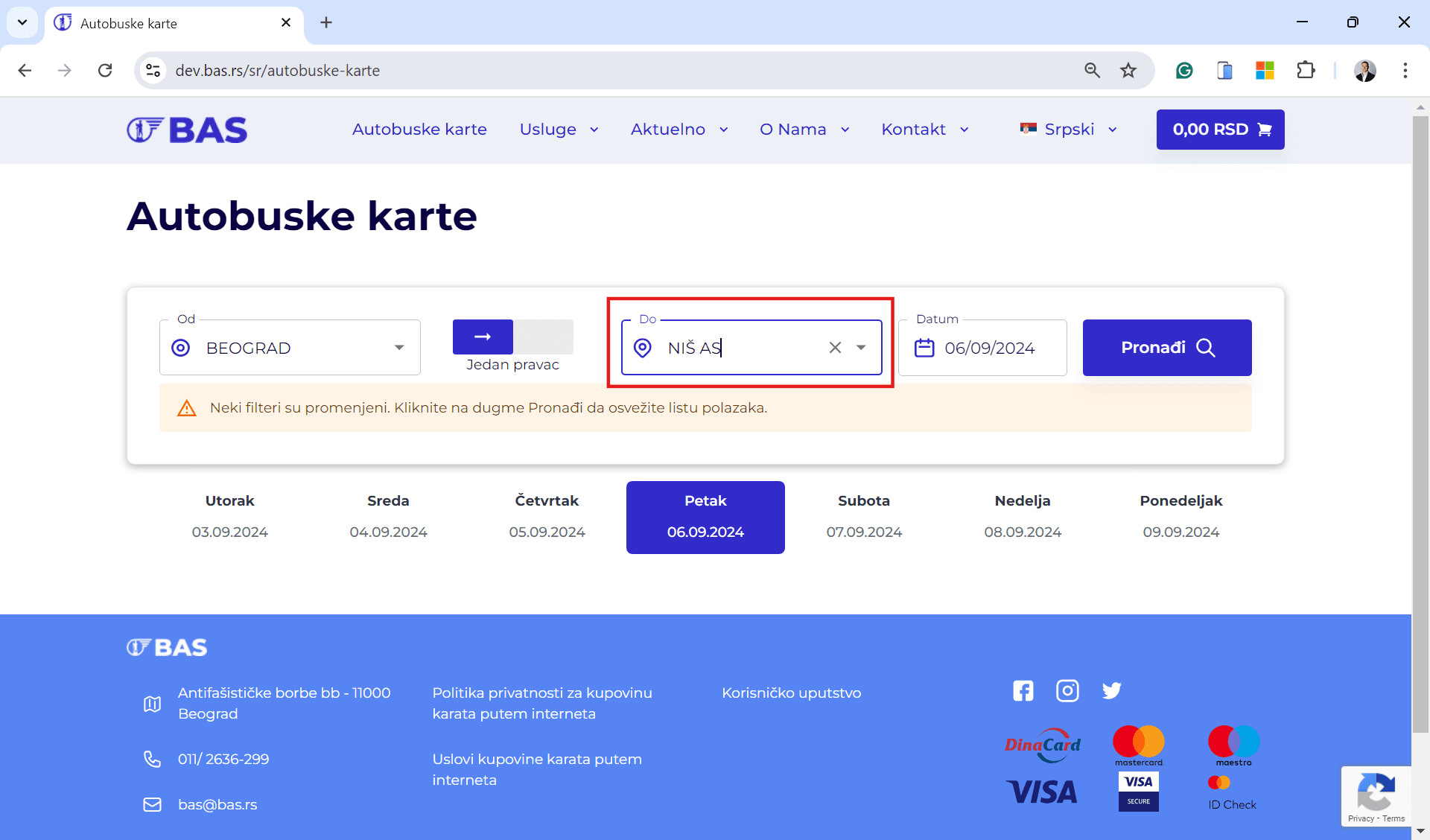
Select Your Destination
Enter the route, travel date, and choose the ticket type (one-way / return-ticket).
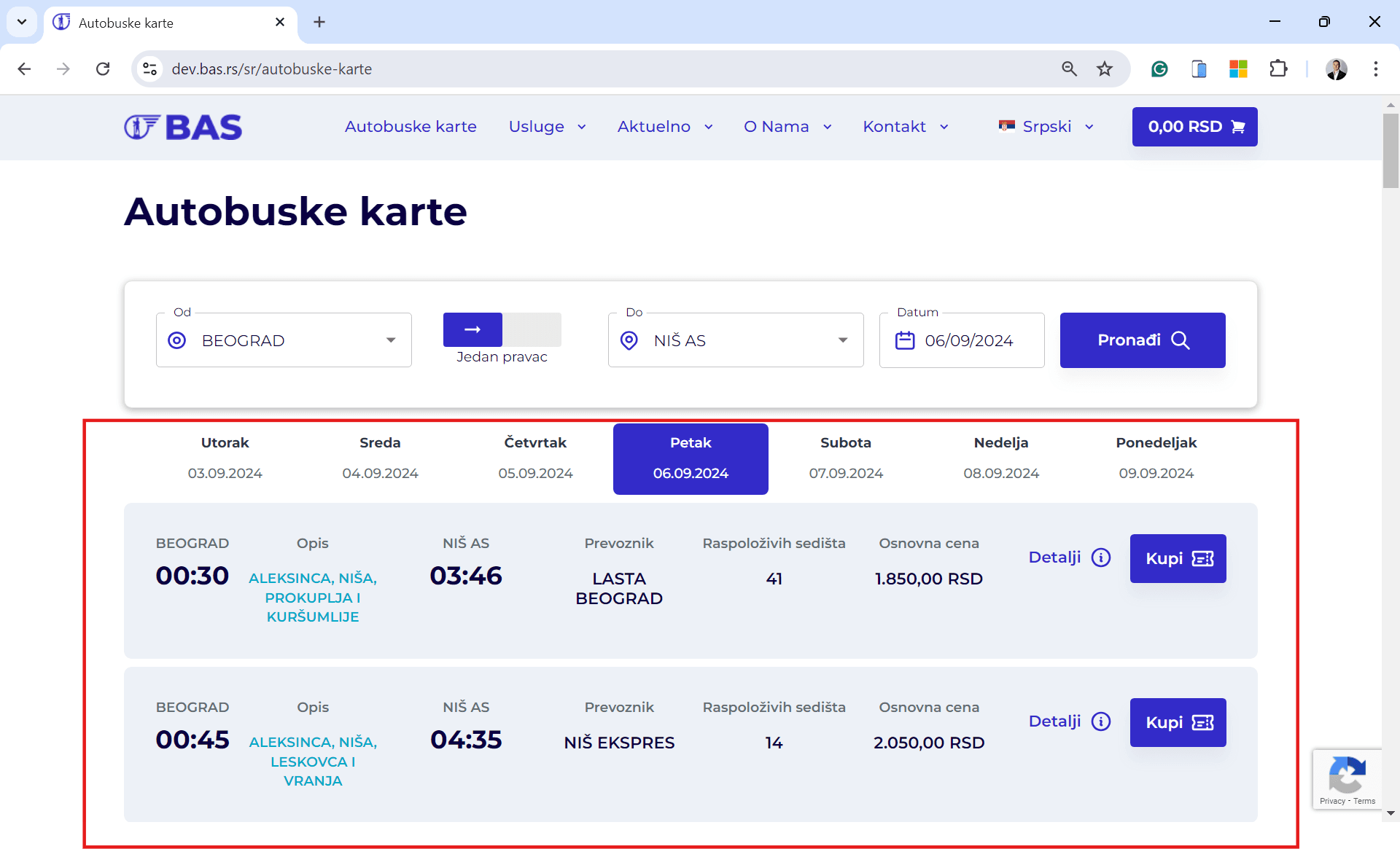
Select Your Travel Time
Choose the appropriate departure by clicking Buy.
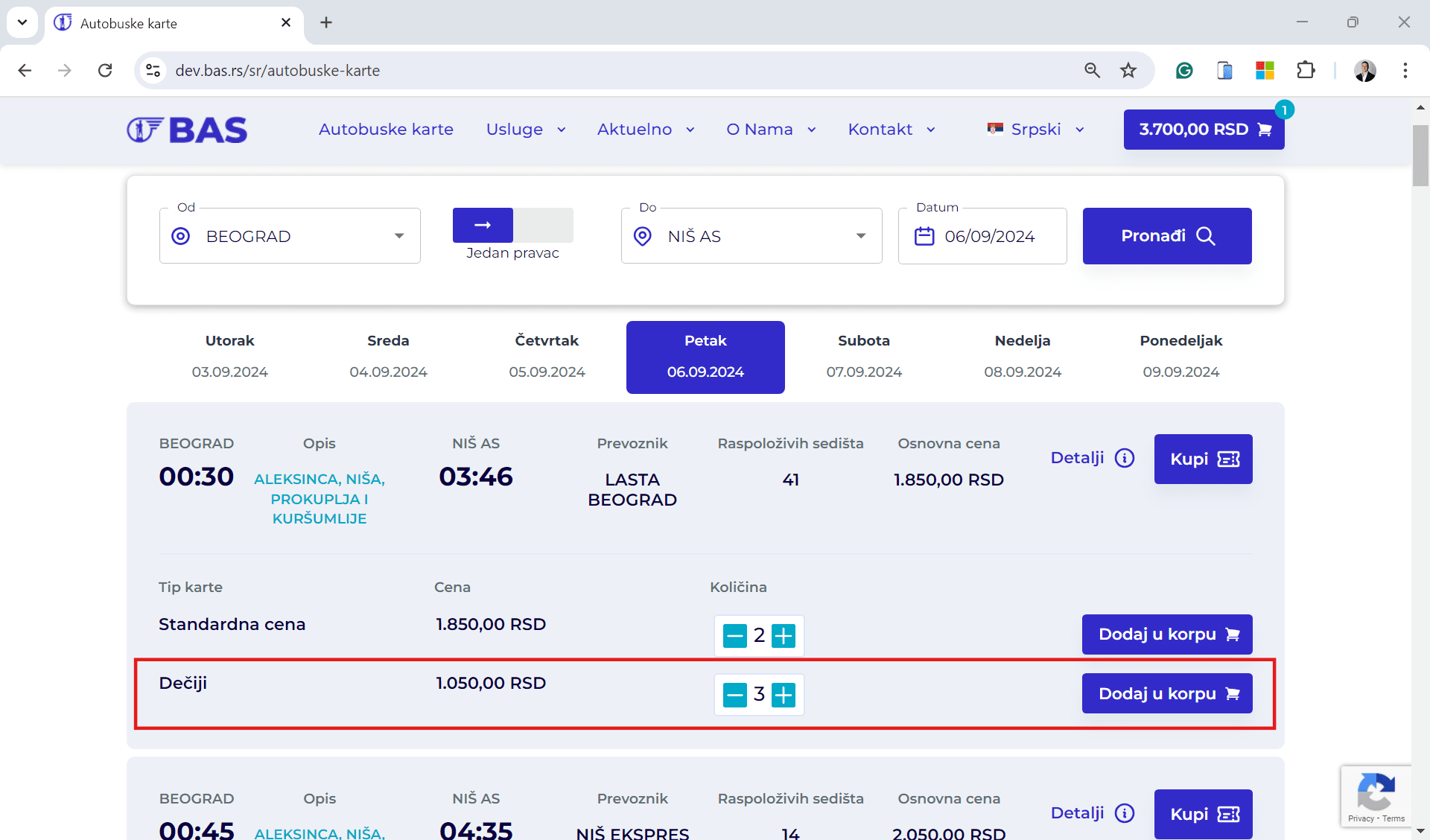
Select Ticket Type
Choose the ticket type and verify your selection.
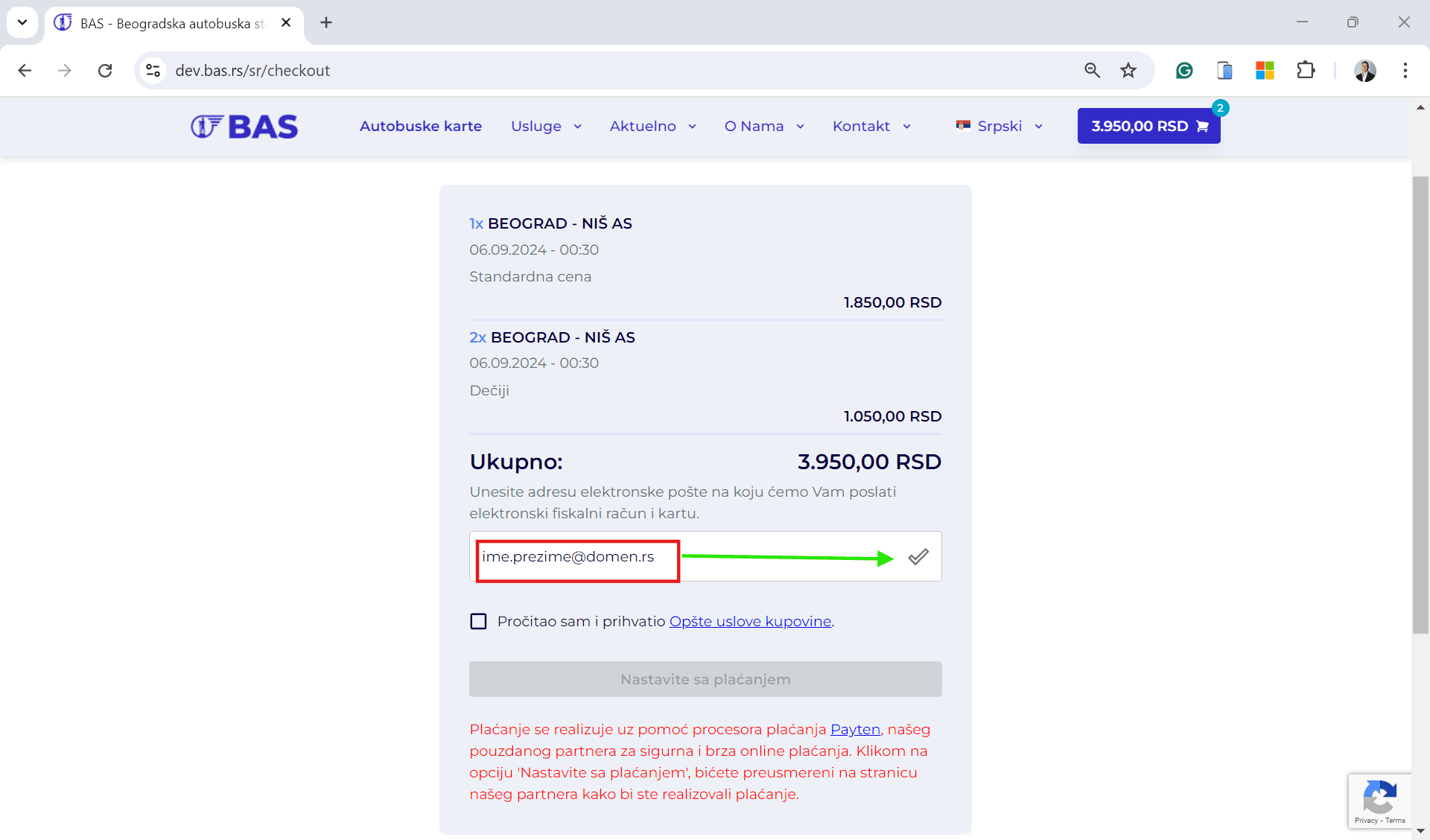
Enter Your Information
Enter a valid email address and complete the online ticket purchase process.
Download Your Ticket
Your ticket will arrive by email in PDF format. Before entering the platform, you must print the ticket at the Belgrade Bus Station ticket machine by scanning the QR code from the electronic ticket.
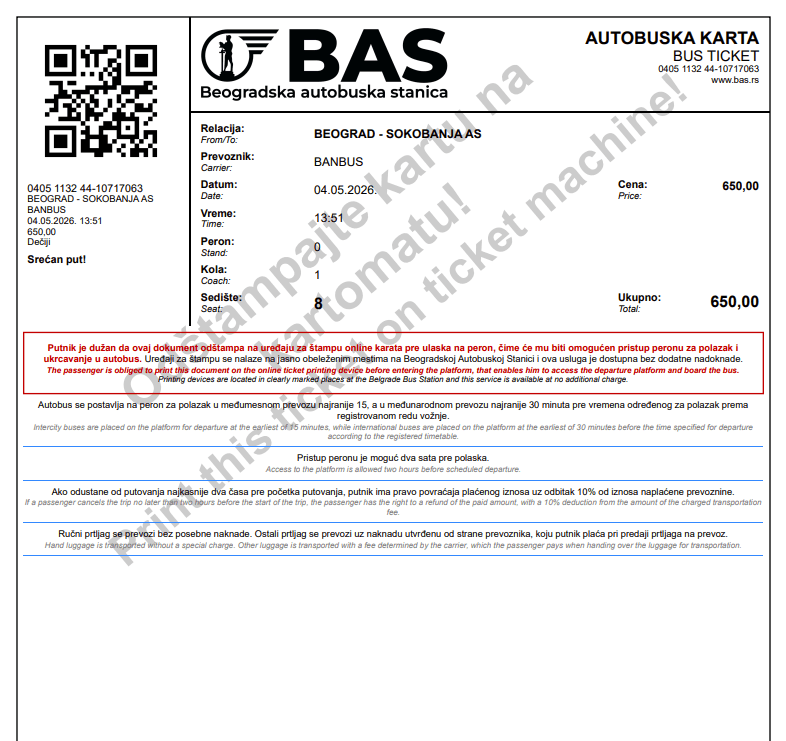
With the introduction of the new ticket format featuring a QR code, access to the platform at the Belgrade Bus Station is performed by scanning the QR code on the ticket. If you have not printed your ticket before entering the platform, you will not be allowed access to the boarding platform. Therefore, please print your ticket before entering the platform using the clearly marked online ticket printing machines. Tickets purchased and issued at the Belgrade Bus Station ticket office are already printed on secure paper and do not need to be printed again.


